0 / 5000
Reference image to influence the style or content of the output.
Seed unlocked - will use random seed

Online Video Editor | AI Video Editing on Gemini Pro
Gemini Pro integrates Runway Gen-4 Aleph — the industry's first in-context video editing model — as a browser-based online video editor. Instead of generating video from scratch, Aleph analyzes your existing footage to understand spatial geometry, lighting conditions, and object relationships, then applies your text-prompt edits with frame-level temporal consistency. Upload a short clip, describe the transformation, and produce a professionally edited version in minutes — no timeline, no keyframing, no software installation.
What is Runway Gen-4 Aleph?
Runway Gen-4 Aleph is an in-context video editing model that transforms existing footage rather than generating video from scratch. The model first analyzes your input clip to build a spatial understanding of scene geometry, depth relationships, lighting conditions, and object positions. It then applies your text-prompt instructions while maintaining temporal consistency — no frame-level flickering, no ghosting, and no loss of motion coherence.
Where traditional video editing requires manual keyframing, masking, and rotoscoping, Aleph replaces those workflows with natural language. Add or remove objects with proper shadow casting, shift locations from summer to winter, relight an entire scene from day to night, or apply artistic style transfers — all while the online video editor preserves your source footage's camera motion and subject dynamics frame by frame.
Runway Gen-4 Aleph Core Capabilities
In-context video editing capabilities powered by Runway AI's spatial and temporal reasoning engine.
Camera & Novel View Generation
Runway Gen-4 Aleph reconstructs scene depth and spatial relationships to generate new camera angles — reverse shots, over-the-shoulder views, low angles, or overhead perspectives — without reshooting. The model simulates alternate camera positions based on the scene's actual 3D structure.
- Novel view generation from reconstructed 3D scene geometry
- Shot continuation and seamless sequence extension
- Camera motion transfer between clips
Object Manipulation
Add props, products, or crowds with correct perspective, shadow casting, and illumination matching. Remove distracting elements with frame-consistent inpainting — no flickering or ghosting across the edited sequence.
- Object addition with depth-aware lighting and shadows
- Element removal with temporal inpainting
- Object replacement, retexturing, and green-screen extraction
Environmental & Atmospheric Changes
Shift locations, seasons, and weather conditions while preserving subject motion and camera trajectory. The video editor remaps scene illumination, shadow direction, and ambient tone to match the target environment with physical accuracy.
- Location and environment transformation
- Weather effects: rain, snow, fog, storms
- Time-of-day relighting: dawn, golden hour, night
Visual Style & Appearance
Apply artistic style transfers, color grades, and aesthetic transformations while maintaining motion continuity and structural integrity. Condition the output with a reference image to lock the target look — the online video editor preserves temporal coherence across every styled frame.
- Reference-image-conditioned style transfer
- Character and appearance transformation
- Color grading, relighting, and aesthetic shifts
Technical Specifications
Runway Gen-4 Aleph is an in-context video editing model that analyzes source footage's spatial geometry, lighting, and object relationships before applying prompt-driven transformations with temporal consistency.
- Input: MP4 or WebM video, maximum 16MB
- Duration: first 5 seconds of input clip processed per generation
- Aspect ratios: 16:9, 9:16, 4:3, 3:4, 1:1, 21:9
- Editing: text-prompt driven with optional reference image conditioning
- Seed: optional parameter for reproducible output variations
- Output: edited video with temporal consistency and scene-coherent lighting
How to Edit Video Online with AI
A three-step workflow to edit video online using Gemini Pro's AI video editor.
1. Upload Your Clip
Select an MP4 or WebM file (up to 16MB). The model processes the first 5 seconds — trim to your target segment for best results. Stable footage with clear subjects and consistent lighting yields the highest fidelity.
2. Describe the Transformation
Write a focused text prompt specifying what to change: lighting conditions, environment, visual style, or object manipulation. Optionally attach a reference image to condition the output aesthetic.
3. Generate, Review & Iterate
Generate the edited video, review the result, and refine your prompt incrementally. Use the seed parameter for reproducible variations across iterations. Download the final output when satisfied.
Video Editor Prompting Guide
Effective prompts target the specific transformation — lighting shift, object manipulation, or style transfer — without redescribing the existing scene. Focus on what should change; the AI preserves everything else automatically.
- Lead with the primary transformation: "shift to golden hour" or "convert to anime style"
- Name specific objects to manipulate: "remove the crowd" or "add neon signs with matching reflections"
- Attach a reference image to lock color palette, texture, or artistic direction
- Keep prompts focused on one edit dimension — lighting, style, or objects — per iteration
- Refine incrementally: small prompt adjustments outperform wholesale rewrites
Video Editor Use Cases
From creative style changes to product demos — edit videos online for every production scenario.
Creative Style Transfer
Convert documentary footage into cinematic color grades, apply vintage film aesthetics, or shift to neon cyberpunk tones. The online video editor preserves motion and temporal continuity while transforming the entire visual palette through a single text prompt.
Product & E-Commerce Demos
Generate multiple product variations from a single shot — swap colors, update packaging, or change backgrounds to match seasonal campaigns. Edit video online to produce platform-ready product content without scheduling a reshoot.
Social Media Iterations
Produce platform-specific variants of the same clip for TikTok, Reels, and Shorts with native aspect ratios. Edit videos online to A/B test style, mood, and environment across audiences — all from one source take.
Cinematic Relighting & Atmosphere
Transform golden-hour warmth into nighttime drama, or add rain, fog, and snow to dry-weather footage. Runway Gen-4 Aleph reconstructs scene geometry to ensure shadows, reflections, and highlights update naturally with each lighting change.
Location & Season Swaps
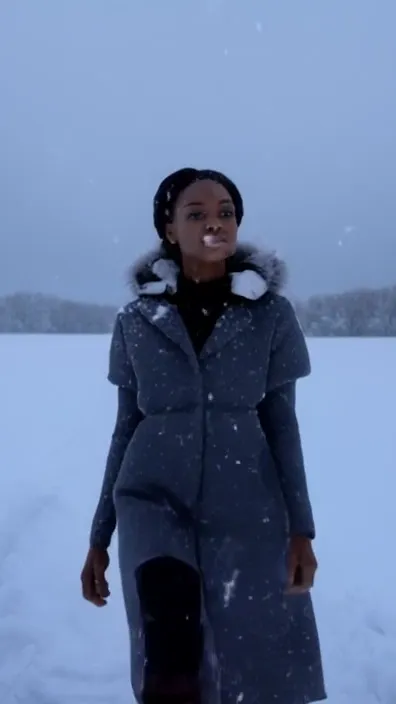
Shift a sunny field into a snow-covered landscape, or transport a street scene from day to dusk. The AI video editor remaps environment details while keeping subject motion, camera trajectory, and perspective physically accurate.
Object Manipulation & Cleanup
Add props, crowds, or signage with correct perspective and lighting — or remove distracting elements without leaving artifacts. Runway Aleph's depth-aware editing ensures inserted objects cast appropriate shadows and match scene illumination.
Limitations and Best Practices
Output quality correlates with input stability, scene complexity, and prompt specificity. Footage with steady camera work and clearly defined subjects yields the highest fidelity. If your first result is close but not perfect, refine the prompt incrementally — small adjustments outperform wholesale prompt rewrites when editing video online.
Runway Gen-4 Aleph processes the first 5 seconds of your clip, so trim to your target segment before uploading. For precise visual control, attach a reference image to lock color palette, texture, or artistic direction. Iterating with small, focused edits produces more predictable results than requesting multiple large changes in a single prompt.
Online Video Editor FAQ
Technical answers about editing video online with AI on Gemini Pro.