0 / 2500
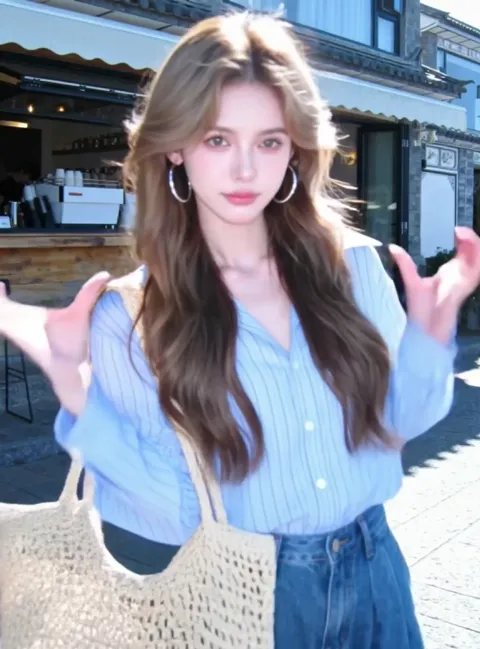
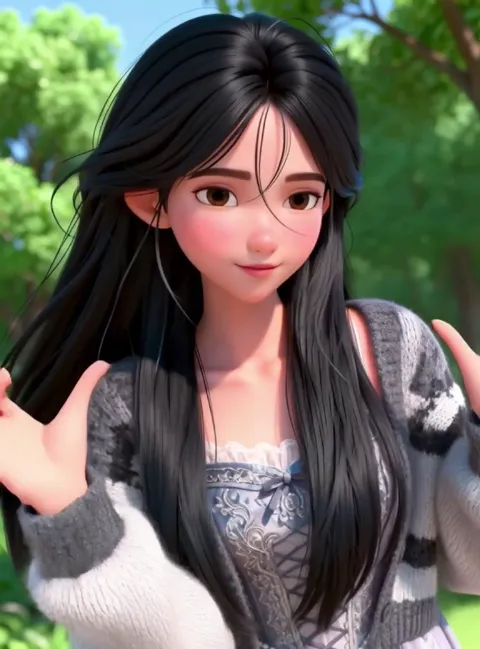
Reference image defines characters, background, and other elements. Size needs to be ≥300px, aspect ratio 2:5–5:2.
Kling Motion Control | AI Video Motion Transfer on Gemini Pro
Gemini Pro integrates Kling Motion Control — an explicit motion extraction engine that copies frame-by-frame body trajectories from any reference video onto your static image. Unlike probabilistic video synthesis, Kling Motion Control uses 3D spatiotemporal joint attention to reconstruct limb positions, hand gestures, and choreography timing with physical accuracy. Upload a character photo and a 3–30 second reference clip, then generate motion-controlled videos at 720p or 1080p. Available with Kling 2.6 Motion Control and Kling 3.0 Motion Control. Ideal for dance content, animated motion posters, product demos, and social media.
What Is Kling Motion Control?
Kling Motion Control is an explicit motion transfer system built into Gemini Pro, available with Kling 2.6 Motion Control and Kling 3.0 Motion Control. Standard image-to-video generators predict movement from text prompts using probabilistic sampling — the AI guesses what motion looks like. Motion Control takes a fundamentally different approach: it extracts the actual motion path from a reference video, frame by frame, and reconstructs those exact movements on your target image. The result is precise choreography replication, not AI-improvised motion.
On Gemini Pro, Kling Motion Control delivers benchmark-leading motion fidelity. Independent testing shows it outperforms Runway Act-Two by over 16× in motion trajectory adherence and exceeds Wan 2.2-Animate by 4× in complex choreography scenarios. The underlying 3D spatiotemporal attention architecture ensures that weight transfer, momentum, and contact physics remain consistent across every generated frame — making it the most reliable motion control AI tool available for professional video production.
Kling Motion Control Technical Capabilities
Explicit motion extraction powered by Kling Motion Control — the most precise AI motion transfer architecture available on Gemini Pro.
Full-Body Motion Synchronization
Kling Motion Control reconstructs complete skeletal trajectories — walking gaits, running cycles, jumps, flips, and multi-step dance sequences. The 3D spatiotemporal attention model ensures that weight distribution and momentum transfer remain physically consistent throughout every frame.
Precision Hand & Finger Tracking
An enhanced hand-tracking algorithm captures individual finger articulation, mudras, sign language, and nuanced gestures. Where competing tools lose hand coherence during fast motion, Kling AI motion control maintains anatomical accuracy even in close-up sequences.
Up to 30-Second Continuous Motion
Generate motion-controlled videos up to 30 seconds in Video Orientation mode — significantly longer than most AI motion transfer tools. Image Orientation mode supports up to 10 seconds with camera movement flexibility.
720p Standard & 1080p HD Output
Standard 720p mode accelerates iteration and testing cycles. HD 1080p mode produces broadcast-quality output with sharper textures, finer edge detail, and improved facial rendering for professional motion control AI production.
Text Prompt Scene Customization
Layer text prompts over your motion reference to control background environment, lighting conditions, color grading, and artistic style — while character movement stays locked to the reference video's trajectory.
Dual Character Orientation Modes
Video Orientation maps the character to the reference video's spatial direction — ideal for choreography and full-body sequences up to 30 seconds. Image Orientation preserves the original character pose, enabling camera panning and tracking shots up to 10 seconds.
How to Use Kling AI Motion Control on Gemini Pro
Generate motion-controlled AI videos in three steps.
Upload Your Character Image
Provide a clear reference image of the character, illustration, or subject you want to animate. JPG or PNG, minimum 300 pixels, aspect ratio between 2:5 and 5:2. Full-body images with visible limbs produce the best Kling Motion Control results.
Add a Motion Reference Video
Upload the video containing the movement you want to transfer. MP4 or MOV format, 3–30 seconds. Single-person clips with continuous motion, stable camera, and minimal scene cuts yield the highest motion fidelity.
Generate & Download
Select 720p or 1080p output, choose Video or Image Orientation, add an optional scene prompt, then generate. Download your motion-controlled AI video once processing completes.
Creative Applications for Kling Motion Control
Explore how motion control AI transforms static images into dynamic video content across industries.
Dance & Performance Videos
Replicate exact choreography on any character
Record or source a dance reference clip and map the choreography onto illustrations, brand mascots, or AI-generated characters. Kling Motion Control captures rhythm, footwork, arm arcs, and weight shifts — producing dance content that matches the original performance beat-for-beat.
Kling AI Motion Posters
Animated posters from a single image
Turn static artwork, movie posters, or promotional graphics into looping motion poster videos. Apply subtle gestures, breathing effects, or dramatic movements while the Kling AI motion poster engine preserves your original art style, color grading, and composition.
Character & Mascot Animation
Zero-rigging animation pipeline
Animate game characters, product mascots, or concept art without 3D rigging, bone weighting, or keyframe animation. Upload the character image and a motion reference — Kling Motion Control synthesizes natural movement while maintaining the character's visual identity across every frame.
Product & Fashion Demos
Show wearables and products in motion
Demonstrate apparel, accessories, and wearable tech with realistic human motion. A model's walking sequence or hand gesture video serves as the motion source — Kling Motion Control transfers those movements to product shots, creating dynamic catalog content without a live photoshoot.
Instructional & Training Videos
Precise movement demonstration at scale
Map fitness routines, physical therapy exercises, or martial arts techniques onto virtual instructors. Motion control AI replicates each movement with anatomical precision, enabling standardized training content where exact form and timing are critical.
Social Media & Short-Form Content
Trending motion templates for viral reach
Apply trending TikTok, Reels, or Shorts motion templates to your brand characters or AI-generated personas. Kling AI motion control lets you produce scroll-stopping ai motion control video content at the speed social platforms demand.
Best Practices for Kling Motion Control AI
Reference Image Guidelines
- Full-body shots with visible arms and legs maximize motion transfer accuracy
- Plain or simple backgrounds let the AI isolate the subject cleanly
- Front-facing or three-quarter poses adapt well to most motion reference angles
- Minimum 300px resolution — higher resolution source images produce sharper output
Reference Video Guidelines
- Continuous, uncut motion sequences generate the most coherent results
- Stable or tripod-mounted camera footage minimizes unwanted spatial drift
- Single-subject videos avoid motion confusion between multiple performers
- 3–10 second clips in Image Orientation; 3–30 seconds in Video Orientation
Technical Specifications
Input Requirements
- Reference image: JPG/PNG, minimum 300px per side, max 10MB
- Aspect ratio range: 2:5 to 5:2 (portrait to landscape)
- Reference video: MP4/MOV, 3–30 seconds, max 50MB
- Optional text prompt: up to 2,500 characters
Output Specifications
- Resolution: 720p (Standard) or 1080p (HD)
- Duration: up to 10s (Image Orientation) or 30s (Video Orientation)
- Output format: MP4 video
- Typical processing: 2–15 minutes depending on duration and resolution
More AI Video Tools on Gemini Pro
Kling Motion Control FAQ
Technical answers about AI motion control video generation on Gemini Pro.
Start Creating Motion-Controlled AI Videos
Gemini Pro gives you direct access to Kling Motion Control — the industry's most precise AI motion transfer engine. Upload your reference image and video, then generate production-ready motion content at 720p or 1080p.